

CloudMail Enterprise
Blazing Fast Webmail Proven to be intuitive to end-users. Fast, responsive and feature rich without any clutter. Computer IMAP Webmail client with all the bellls and whistles. CSS and plugin framework for easy re-branding & customization.
Benefits of CloudMail Enterprise
Mobile Sync
Cloud Storage
Virus & Spam-free
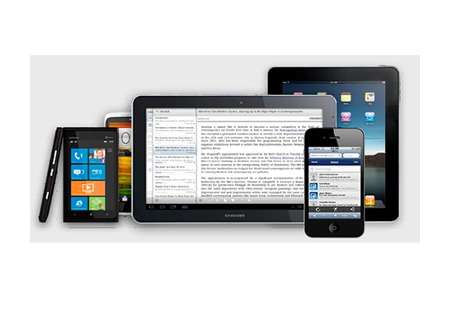
Mobile Friendly
One-click setup for iPhones, iPads and iPods native email, calendar and contacts. Full ActiveSyns (EAS) for push mobility on all supported mobile devices
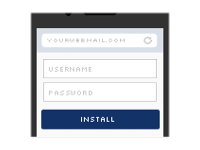
One-tap iOS provisioning
Connect your iOS device for one click email, calendar and contacts provisioning. Users simply browse their mobile Safari to your CloudMail server, enter user / pass and tap a button.
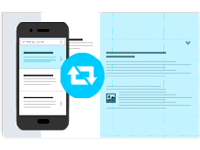
ActiveSync Support
With CloudMail’s ActiveSync (EAS), emails, contacts and calendar changes are automatically pushed to ActiveSync compatible mobile devices.
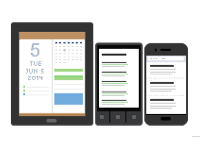
Calendar & Contact Sync
CloudMail includes a CalDAV and CardDAV server – enabling you to access your contact and calendar data through many supported client devices.
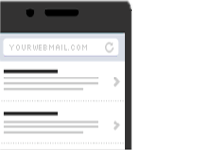
Lightweight Mobile WebApp
Use your mobile browser to check your email and manage contacts and calendar events when out and about through the mobile optimized web version.
2 GB MAILBOX
For 10+ Users
₹ 500/ yr
All Features
- Mobile Sync
- Cloud Storage
- Virus/Spam-free
SPACE ADDON
Each block of 1 GB Space
₹ 100/ yr
All Features
- Applies for Email & Cloud Storage
- Upgrade only the chosen account
- Downgrade possible during renewal
- Mailbox Scalable upto 100 GB
ARCHIVE VAULT
Activated for all users
₹ 500/ yr
All Features
- Archives all incoming/outgoing emails
- Email compression
- 2 GB Storage (upgradable)
- Virus/Spam-free
Need some assistance? We will always be there for you.


About Quicserver Datacenter
Quicserver keeps up data centers that are accessible around-the-clock in every country. We develop new technologies every day to assist people in becoming more independent on the internet. Our services are available to millions of individuals worldwide since we provide a comprehensive set of tools suitable for both novices and specialists. Aside from advances in power/cooling technology, processor/server architecture, network/storage design, colocation industry/company stock, and the infrastructure needed to support today’s hyper-scale data centers, we also cover cloud, edge computing, machine learning, data centers, and virtual/augmented reality.
Globally positioned server data centers with ideal spacing
Google workspace lets you connect to your coworkers anytime anywhere.
Google workspace lets you connect to your coworkers anytime anywhere.
FAQ
G Suite is primarily chosen because it offers domain-name-based email, such as your-name@your-company.com. Stated differently, all email addresses belong to the corporation and not to the employees. Gain access to the email correspondence, passwords, and histories of your staff members.
Because Google Server has IMAP capabilities, users who would rather use Microsoft Outlook can enable G Suite messages to download emails on a regular basis. Nevertheless, all email copies are kept on Google Server. For instructions on configuring GSuite mail IDs in Microsoft Outlook on your local computer system, please refer to this article.
It is not feasible to access other people’s mailboxes unless the user discloses the login information. But occasionally a human error makes it possible for someone else to guess a password and try to log in. This is not specific to Google Mail; it occurs in any system. Therefore, the password needs to be stronger rather than weaker. Users shouldn’t use easily-hacked passwords like mail1234, password123, etc.
Two-step verification is a strong, secure feature that is optional. You can increase security by activating and using the 2-step verification feature on your mailbox. This entails that if you access your mailbox from a new network, the Google system will send an OTP to the registered mobile phone, and you can only access your inbox by responding to the OTP. This keeps people from being able to view your mailbox without authorization. Your data is protected and your inbox is kept safe in this way.
Basically, a subdomain is a child domain that resides under the parent domain name. One of wpbeginner.com’s subdomains is videos.wpbeginner.com.
You are able to independently create subdomains for a domain once you register it.
Websites frequently employ subdomains to build subsidiary sites that share the same domain name. For instance, a business website can set up a subdomain like blog.example.com or store.example.com for their blog or online store.